
Why Audio Sounds Bad on Mobile & How to Fix It (2026) — complete guide
1. The Mobile-First Reality Check
Mobile-first listening is no longer a trend; it is the default. For most releases today, the first judgment happens on a smartphone speaker, cheap earbuds, or inside a social feed where your track competes against everything else at thumb-scroll speed. For native iOS audio behavior, reference the Apple AVFAudio Developer Documentation and Android Media Formats Specification.
That means a mix that feels wide, deep, and punchy on studio monitors can turn thin, harsh, or like it is 'missing elements' the moment it hits a phone.
This is not because your mix is 'bad'. It is because mobile playback is a different system with different rules.
In one breath, here are the main reasons mobile audio translation fails:
- Mono playback (or near-mono behavior): This article discusses how setting mix levels while listening in mono can be helpful.
- Phase cancellation when stereo collapses.
- No true sub-bass from tiny drivers.
- Aggressive device DSP (limiters, enhancers, dynamic EQ).
- Limited headroom and fast distortion at normal volume.
At Audio Forge Pro, we test mixes the way real people listen: phone speakers, earbuds, and streaming platforms with normalization. We treat mobile-first optimization as a modern engineering skill, not an afterthought.

Quick definition: Mobile translation means your mix keeps its balance, intelligibility, punch, and perceived loudness on small speakers, even when stereo width shrinks and bass disappears.
2. Why Audio Translates Poorly to Mobile Speakers (The Real Reasons)
Think of your studio as a high-end cinema. A phone is more like watching the same movie on a small screen in bright sunlight with auto-brightness and power-saving on. The content might be great, but the delivery system changes everything.
Mobile translation issues are a system problem caused by four factors working together:
- Tiny drivers that cannot move enough air for low frequencies.
- Mono summing or near-mono acoustics due to speaker placement.
- Built-in DSP that changes dynamics and tonal balance in real time to protect the tiny speakers.
- User volume habits (people listen quietly, then crank it suddenly).
If your mix is not mobile-optimized, you will usually notice at least a few of these common failures:
- Vocals dip or disappear (often due to phasey stereo effects).
- Kick loses weight (sub-heavy kick fundamentals vanish).
- Bassline disappears (no 40–80 Hz support from the hardware).
- Hi-hats get brittle (2–6 kHz turns into painful glare on small drivers).
- Mix feels quieter than competitors (even if your LUFS looks 'fine').
- Distortion at normal phone volume (device limiter clamps and crackles).
Add streaming codecs and data-saver modes, and your transients can smear while stereo width narrows further. Then your phone speaker, which is basically near-field by default, gives you almost no room coupling, so low end never 'builds' the way it does on monitors.
Finally, most phones apply processing you do not control: limiters, enhancers, spatializers, dynamic EQ, and sometimes 'dialogue' style tuning. Dense masters can make that processing react unpredictably.
3. Mobile Playback Chain 101: From Your Master to the Phone Speaker
To fix mobile translation, you need to understand the chain your audio travels through.
Most major platforms apply loudness normalization to hit a consistent playback target. Practically, that means:
- If your master is very loud, it may be turned down.
- If your master is dynamic but well-balanced, it can feel louder on phones because it stays cleaner and the midrange remains intact.
Normalization also interacts with mobile listening because people tend to listen at lower volumes. At low playback levels, our ears become less sensitive to bass and highs, which makes midrange balance even more important.
Phones often play lossy codecs (AAC, Opus, etc.). In low-data modes, the codec can:
- Soften or smear sharp transients (kick click, snare crack).
- Reduce stereo detail.
- Emphasize 'swishy' high-frequency artifacts on cymbals and bright reverbs.
If your mix depends on ultra-wide, phasey stereo information, the codec plus mono playback can be a double hit. To combat this, consider using high-quality audio encoding techniques which may help mitigate some of these issues.
A phone speaker is tiny, close to your face, and often firing sideways or down. There is very little air movement and almost no room reinforcement. So even if you have a perfect sub on your monitors, the phone cannot reproduce it.
Many phones use multi-stage protection and enhancement:
- Peak limiting to prevent speaker damage.
- Dynamic EQ to maintain 'clarity'.
- Perceptual bass tricks that can conflict with your bass content.
A dense master with heavy low end can trigger these systems early, reducing overall loudness and adding distortion.
4. Mono Compatibility is the #1 Killer of Mobile Audio
If you only fix one thing for mobile, fix mono. Many phones are effectively mono in real-world use:
- Some models are literally a single bottom speaker.
- Even 'dual speaker' phones behave close to mono because the speakers are too close together to create meaningful stereo separation.
- The way people hold phones, plus reflections off hands, desks, and walls, further collapses stereo cues.
When your mix is summed to mono, anything built from left-right differences can get quieter or disappear. That includes widened synths, stereo bass, Haas-delay vocals, out-of-phase room mics, stereo chorus effects, and very wide reverbs and delays.
A Useful Distinction
- Mono-safe: Collapsing to mono does not break the mix or hide key elements.
- Mono-proof: Mono sounds almost as good as stereo, just narrower.
Mobile demands at least mono-safe, and for social-first content, mono-proof is often the goal.
5. The Quick Mono Test Every Engineer Should Do (And What to Listen For)
- Sum your mix to mono on the master (monitoring only).
- Listen at low volume.
- Focus on stability of the essentials: lead vocal, kick and snare punch, bass audibility, hook instrument (lead synth, guitar, main loop), and reverb and delay masking.
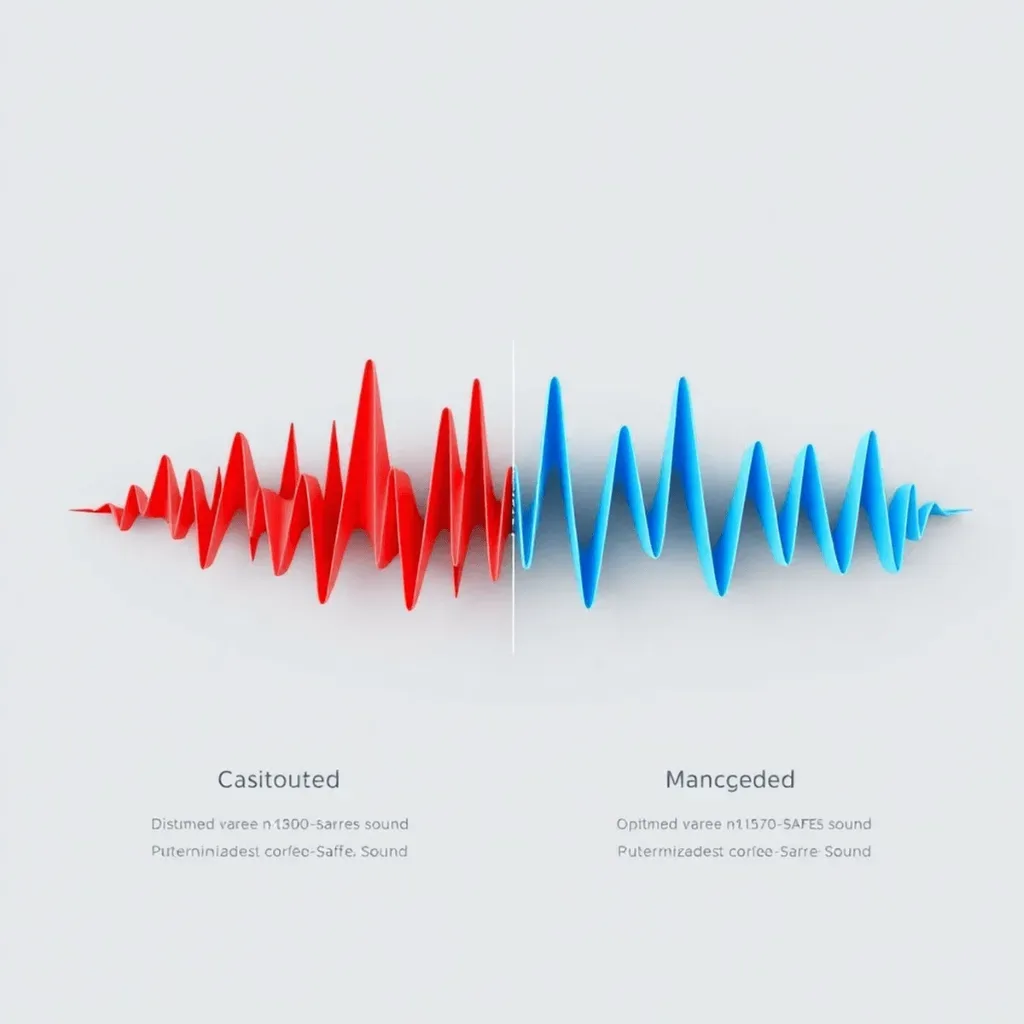
If you hear any of these, you have a mono translation problem:
- Sudden level drops.
- A hollow tone (like the mix got scooped).
- Comb filtering (thin, notchy, phasey tone).
- 'Whooshing' movement as elements shift.
- Parts that vanish (often pads, widened vocals, stereo bass layers).
A correlation meter is a simple truth teller:
- Near +1: strong mono compatibility.
- Near 0: risky, likely to change in mono.
- Negative values: high chance of phase cancellation in mono.
For a deeper understanding of phase and the phase correlation meter, you can explore further resources. Audio Forge Pro workflow note: Build the mono check into every revision.
6. Where Mono Problems Usually Come From (With Real Mix Examples)
Mono problems are rarely mysterious. They usually come from a few repeat offenders.
Wideners and Stereo Effects
Many wideners work by introducing phase rotation, micro-delays, or decorrelation. They can sound impressive on monitors and collapse badly on phones.
Real-world example: A widened synth lead feels huge in stereo, but in mono it drops 3–6 dB and loses its core tone. On mobile, the lead sounds 'behind' the vocal and the hook stops feeling like a hook.
Phase Alignment Issues
Guitars, drums, rooms, and overheads can fight if you do not align for phase coherency.
Example: A snare sounds fat in stereo, but when summed to mono, the body disappears because the overheads are slightly late relative to the close mic. Phones exaggerate this because the stereo field collapses.
Stereo EQ Differences
If you EQ left and right differently, mono summing can change tonal balance in unpredictable ways.
Example: A stereo piano is EQ’d with different resonances cut on each side. In mono, a new 'boxy' midrange appears because cancellations shift the spectral balance.
Reverb and Delay Masking
Wide effects can mask core elements when collapsed.
Example: A vocal reverb return is very wide and bright. In stereo it feels lush. In mono it stacks on top of the vocal and blurs consonants, making lyrics harder to understand on a phone.
7. The Science of Tiny Speakers: Why Your Low End Vanishes
A phone speaker cannot reproduce true sub-bass. This is physics, not taste.
Tiny drivers cannot move enough air at low frequencies, and the acoustic roll-off is steep. So your carefully sculpted 30–60 Hz energy simply does not exist on mobile speakers.
When sub energy disappears, two things happen:
- Your ear focuses on upper harmonics, so 2–6 kHz can feel louder and edgier.
- Perceived punch shifts upward, meaning midrange balance carries the groove more than sub weight.
At Audio Forge Pro, we call this the Mobile Sweet Spot: 300 Hz to 5 kHz is where the story of the mix lives on phone speakers.
Frequency Response on Phones (Practical Ranges)
| Range | Mobile Behavior | Optimization Tip |
|---|---|---|
| 20Hz - 80Hz | Effectively Invisible | Do not rely on this range for groove definition. |
| 80Hz - 250Hz | Some phones hint at it | Translation improves with harmonic structure above fundamental. |
| 300Hz - 2kHz | High Visibility | Vocal intelligibility and snare body live here. Avoid boxiness. |
| 2kHz - 6kHz | Presence & Harshness | Phones hype this; harshness becomes painful fast. |
| 8kHz+ | Air / Fizz | Codecs can turn 'air' into fizz on bright reverbs. |
To visualize this, look at the frequency focus of a typical high-end smartphone speaker below. Notice how the 'meat' of the sound is concentrated in a narrow band.

8. Why Bass-Heavy Mixes Feel Quieter on Phones (Psychoacoustics)
If your mix is built around sub energy, phones cannot play the main 'engine' of your track. The result is a mix that feels empty and quieter than it should.
There is also a dynamics issue: low-frequency energy triggers limiters earlier. Phones protect their speakers, so heavy bass makes the device clamp down sooner, which reduces overall loudness and punch.
A practical solution is to create bass presence with harmonics that survive on mobile. Preview: tasteful saturation and harmonic layering in the 200–800 Hz region can make bass lines readable on phone speakers without turning the mix into mud.
9. Phase Cancellation on Mobile: The Hidden Reason Elements Disappear
Phase cancellation is one of the most common reasons a part vanishes on a phone.
Simple definition: When two similar signals are out of time or out of phase, they partially cancel each other when summed. Mobile makes this worse because:
- Playback is often mono or near-mono.
- Speakers are close together, reducing stereo separation.
- Reflections from your hands, desk, or nearby surfaces add more interference.
The audible result is often comb filtering: timing differences create notches across the spectrum, thinning the tone like a 'hollow' EQ you never asked for.
Beginner-Friendly Explanation: Phase vs Polarity
- A polarity flip is a 180° inversion (up becomes down). It is a single switch and affects the whole waveform uniformly.
- Phase shift is time and frequency dependent. Tiny delays, filters, and modulation can shift phase differently across the spectrum.
A track can be 'in polarity' and still be phasey due to: Haas delays (10–30 ms), stereo chorus, slight mic distance differences, or unaligned layers.
10. Pro-Level Breakdown: Common Phase Traps
- Haas Delays: Makes things sound wider by delaying one side slightly. Often collapses badly in mono.
- Modulation Effects: Stereo chorus or flangers create moving cancellations. On phone speakers, this can sound like the tone is 'sucking in and out'.
- Mid/Side Low End: Over-boosted Side in the low end is a classic error. treat Side low end like a danger zone.
- Drums and Layering: Overheads and rooms must be aligned relative to close mics. Two snares layered with a few milliseconds offset can hollow the transient.
11. Headroom and Limiting: Why Phones Distort Faster than Your Studio
Phone speakers hit excursion limits quickly. When you push volume, the device clamps peaks aggressively to protect the speaker and reduce obvious clipping.
A practical baseline for many releases is a True Peak ceiling around -1.0 dBTP. This helps reduce intersample peaks and codec-related clipping. If your limiter is constantly reacting to bass hits, the whole mix ducks and loses clarity.
What 'Clean Loud' Means on Mobile
- A controlled crest factor (transients still exist, but are not spiky).
- True peak headroom (so codecs and DAC stages do not clip).
- Tight low end (so limiting is not triggered constantly).
- Strong, balanced midrange (so the mix reads at low volume).
12. The Fix: A 5-Step Mobile Audio Quality Fix
Step 1: Establish a Mono-Stable Foundation
Switch your monitoring to mono. Set levels for lead vocal, kick, snare, and main hook. The song should still work as a 'one-speaker record'. Then rebuild width later using mono-safe choices.
Step 2: High-Pass Non-Bass Elements
High-pass filtering is about freeing headroom so your limiter and the phone's DSP do not overreact. Common candidates: vocals, guitars, synths, and all reverb/delay returns.
Step 3: Manage the 300–500 Hz Range
This range can make a mix sound 'boxy' and small on phones. Make small cuts on dense instruments that stack here, but avoid cutting everything.
Step 4: Focus on the 1kHz–3kHz Range
This is where phones live. Use broad moves or dynamic EQ: gentle boost if the vocal feels buried, or dynamic EQ if it gets spitty.
Step 5: Control the High-Mid Glare
Phones exaggerate the 5kHz–10kHz region. Control peaks dynamically with dynamic EQ or a de-esser on vocals and hats. Do not EQ soloed.
13. Parallel Compression in Practice
Parallel compression increases density without flattening the main signal. Phones cannot deliver sub weight, so you need stable midrange energy. Parallel saturation in the 200–800 Hz region can also make bass lines readable.
Pick one, keep it subtle: Vocal parallel bus, Drum parallel bus, or Full mix parallel bus. Use medium attack and fast-to-medium-fast release.
Process: Bring the parallel return up until you clearly notice it, then back it off until you miss it when muted. Optional: add saturation to generate harmonics for bass audibility.
14. Rules for Mobile Width
- Center the fundamental energy of kick and bass.
- Add width above ~200 Hz with harmonic layers, stereo ambience, or doubles.
Any time you use a widener, Haas delay, or stereo chorus, bypass it and sum to mono. If the hook collapses, rebuild using safer methods like doubles with micro-variations or early reflections instead of extreme widening.
Metering for Mobile
- Correlation meter: avoid living near 0 or negative.
- Goniometer: watch for extreme horizontal lines (signs of mono trouble).
15. Loudness Management for Mobile
Instead of one limiter doing all the work, use 1–2 stages with lighter gain reduction. Set ceiling around -1.0 dBTP. If bass triggers the limiter, use dynamic EQ or multiband compression to stabilize the low end.
16. Common Mobile-Mix Mistakes (And Fast Fixes)
- Wide Low End Fix: Center fundamentals, add harmonic width above ~200 Hz.
- Low-Mid Mud Fix: Add upper-bass harmonics, tighten 150–250 Hz, simplify low-end arrangement.
- High-Frequency Glare Fix: Dynamic EQ or de-essing on vocal/hats; check codec harshness.
- Over-Limiting Fix: Back off limiting, manage low end, keep true peak safe.
- Reverb Mud Fix: Shorten decay, add pre-delay, EQ reverb returns, keep dry signal present.
17. Conclusion: Mobile optimization isn’t optional anymore
Mobile-first listening is the new main speaker. If your mix collapses on a phone, that is where most listeners will decide whether to skip or stay.
Once mono compatibility is under control, the remaining problems are usually platform-specific. The Instagram Reels metallic-audio fix covers what Reels does to a WAV upload, the Reels versus Shorts comparison shows how the two platforms treat the same file differently, and the Shorts export settings guide covers the export side.
Build these habits into every session: Hit the mono button often, check phone speaker and earbuds, level-match references, and keep the hook strong even when stereo collapses.
If you want a faster, standardized workflow, Audio Forge Pro helps you run mono and phase checks, visualize the mobile midrange, and repeat a mobile-first mix translation process that holds up in the real world.
Disclosure and Transparency
This article is written for educational and informational purposes. The comparisons here explain general creator workflows. Features, pricing models, limits, or platform behavior of third-party tools may change over time.
When this article mentions the privacy benefit for AudioForge Pro, it refers to browser-side processing. The processing happens inside your browser and, in a normal workflow, does not require server upload. Every voice, microphone, and room is different—final results may vary depending on your specific environment.
Transparent Disclosure: The author is the Founder of Audio Forge Pro. Recommendations reflect genuine relevance to this topic. Core audio processing is free with no login required.
Responses
Join the community discussion. Sign in with Google to post a comment after the page finishes loading.