
Best USB Microphones for Podcasting in 2026 — complete guide
Choosing the wrong USB microphone does not just cost you money — it costs you listeners. I have watched talented podcasters lose audience retention not because their content was weak, but because their audio made people feel like they were straining to hear a conversation through a wall. The mic you record into is the single most consequential gear decision you will make for your show.
The best USB microphone depends more on your room and speaking style than on the highest sample-rate number. Choose a dynamic model for untreated or noisy rooms, a condenser for quieter spaces and more detail, and compare headphone monitoring, gain control, pickup pattern, and real spoken-word tone before buying.
The comparisons below focus on spoken-word performance, room tolerance, monitoring, controls, and workflow fit. The goal is to make a practical choice without treating one microphone as the right answer for every recording space.
What Actually Makes a USB Mic Good for Podcasting
Before you spend a dollar, you need to understand what matters for spoken-word audio and what is just marketing noise. Manufacturers love to lead with sample rate specs. Ignore that. Here is what you should actually evaluate.
Capsule Type: Dynamic vs Condenser
This is the most important decision you will make when buying a USB mic. Dynamic mics (like the Shure MV7+ and RØDE PodMic USB) are less sensitive to room ambience. They reward close-mic technique and produce a dense, broadcast-ready tone. Condenser mics (like the AT2020USB+ and RØDE NT-USB Mini) capture more detail and articulation, but they also capture your HVAC system, your keyboard, and every room reflection in a five-meter radius. If you record in an untreated room, a dynamic mic is almost always the smarter choice.
Polar Pattern
Cardioid is your default for solo podcasting. It picks up sound from the front and rejects sound from the rear. Multi-pattern mics (Blue Yeti, Yeti X, HyperX QuadCast S) offer bi-directional and omni modes that can be useful for two-person recording — but only if your room is acoustically decent. In a reflective space, multi-pattern flexibility mostly means more options to accidentally make your audio worse.
Monitoring and Headphone Output
Zero-latency monitoring — where you hear your own voice directly through a headphone jack on the mic — is underrated. It catches clipping, plosives, and room noise in real time so you do not discover problems two hours into an edit. The AT2020USB+ includes a mix control for blending mic and computer audio, which is genuinely useful for remote interviews where you need to hear both sides clearly.
Hybrid XLR/USB
If you plan to upgrade to an audio interface within the next year or two, buy a mic that has both USB and XLR outputs. The Samson Q2U, RØDE PodMic USB, and Shure MV7+ all do this. You will not need to rebuy a mic when you outgrow the USB path.
If you want to understand exactly why audio quality determines whether people stay or leave your podcast, read our breakdown on Why Audio Quality Matters More Than Video.
Budget Tier Breakdown: The Complete 2026 Comparison
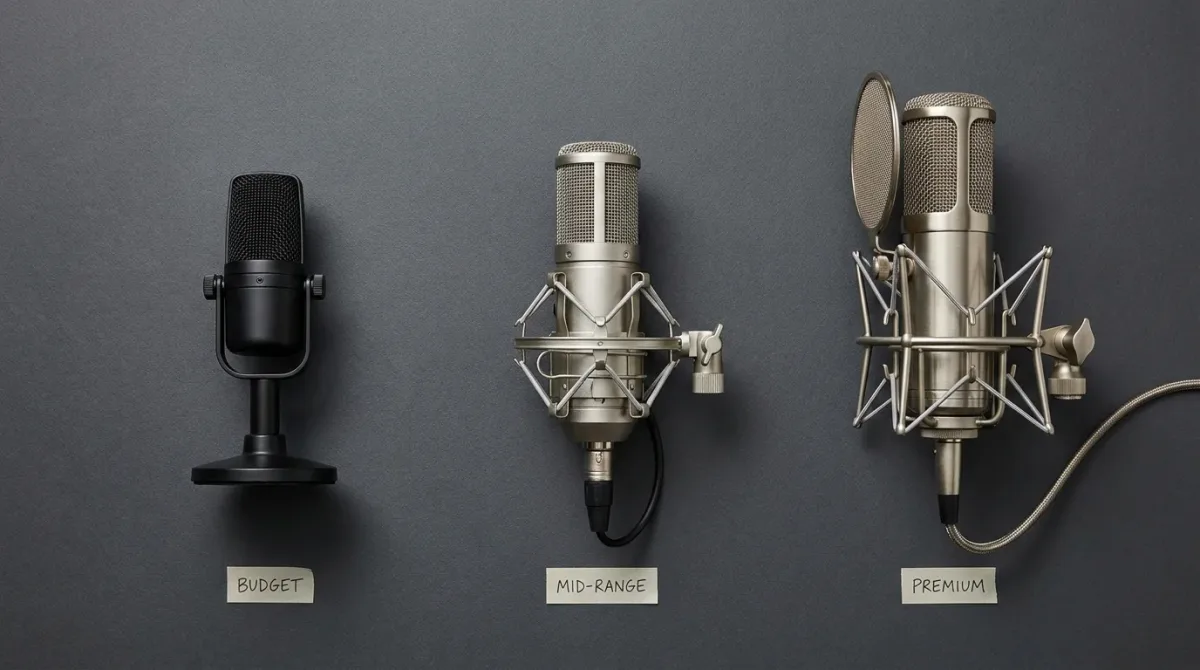
Here is the full shortlist organized by price. Every mic on this list has a legitimate reason to exist — no padding, no affiliate filler.
| Mic | Type | Pattern | Sample Rate | Price Tier | Best For |
|---|---|---|---|---|---|
| Samson Q2U | Dynamic | Cardioid | 44.1/48kHz, 16-bit | Under $100 | Untreated rooms, starters |
| RØDE NT-USB Mini | Condenser | Cardioid | 48kHz, 24-bit | Under $100 | Clean desk setup, minimalist |
| Blue Yeti (classic) | Condenser | Multi-pattern | 48kHz, 16-bit | $100–$200 | Multi-use households |
| AT2020USB+ | Condenser | Cardioid | 44.1/48kHz, 16-bit | $100–$200 | Interview-heavy shows |
| Elgato Wave:3 | Condenser | Cardioid | 48/96kHz, 24-bit | $100–$200 | Streamers + podcasters |
| HyperX QuadCast S | Condenser | Multi-pattern | Up to 48kHz, 16-bit | $100–$200 | Casual creators, RGB aesthetics |
| Blue Yeti X | Condenser | Multi-pattern | 48kHz, 24-bit | $100–$200 | One-mic-does-everything setups |
| RØDE PodMic USB | Dynamic | Cardioid | 48kHz, 24-bit | $200+ | Broadcast sound, hybrid path |
| Shure MV7+ | Dynamic | Cardioid | 44.1/48kHz, 16/24-bit | $200+ | Professional spoken-word, any room |
The Top Picks — Detailed Breakdown
Shure MV7+ — Best Overall
The Shure MV7+ is the mic I recommend to podcasters who want to stop thinking about their mic. It is a dynamic cardioid with a USB-C and XLR hybrid path, onboard DSP that actually works (Auto Level Mode, digital plosive reduction, noise isolation), and flexible A/D conversion at up to 24-bit/48kHz. The DSP is not a gimmick — it is targeted at the exact failure modes that ruin podcast audio: uneven levels, plosive blasts, and background noise. If your recording environment varies — home office one day, a hotel room the next — the MV7+ is the safest pick on this entire list.
RØDE PodMic USB — Best Broadcast Sound Under $300
The RØDE PodMic USB is what you buy when you want radio-quality density without a full broadcast setup. Dynamic capsule, cardioid pattern, 24-bit/48kHz USB-C path, and both an internal pop filter and a removable external one. That dual plosive protection matters — it lets you get genuinely close (5–8cm) without constant "P" blasts. The XLR output means you have a clear upgrade path when you are ready for an interface. The sound is punchy, full, and authoritative. If you have heard a polished true-crime or interview podcast and thought "that mic sounds expensive," there is a good chance it was a PodMic or something in that tier.
Samson Q2U — Best Under $100
The Q2U is the most sensible first USB mic on the market. Dynamic cardioid design, USB-C and XLR outputs, and a 3.5mm headphone jack for monitoring — all for under $80. Its dynamic capsule means it is explicitly less sensitive to background noise, which is the single most common problem in untreated home recording spaces. You will not get the top-end clarity of a condenser, but you will not need acoustic foam everywhere to make it sound acceptable either. For anyone starting out who also wants an upgrade path, the Q2U is a clear buy. See the full specs at Samson Tech.
RØDE NT-USB Mini — Best Compact Condenser
If your room is reasonably quiet and you want a clean, simple condenser setup without bulk, the NT-USB Mini is the answer. 48kHz/24-bit capture, a built-in pop filter, and a magnetic desk stand that actually stays put. The sound is detailed and natural — excellent for voices that do not need a lot of low-end weight added. The trade-off is that it will reveal your room more readily than any dynamic on this list. Use it in a carpeted office, not in a kitchen with tile floors.
Audio-Technica AT2020USB+ — Best for Remote Interviews
The AT2020USB+ earns its place because of one feature that other mics at this price do not offer: a mix control knob that blends your mic signal with your computer audio in real time. For podcasters doing remote interviews via Zoom or Riverside, hearing both sides of the conversation in a balanced headphone mix is genuinely useful. The condenser capsule is crisp and articulate, and the 44.1/48kHz operation at 16-bit covers everything a podcast workflow needs. It is not the choice for a bad room, but for a clean desk setup with a decently controlled environment, it is excellent.
Elgato Wave:3 — Best Workflow Mic for Creators Who Do More Than Podcast
The Wave:3 is the right call if your setup involves streaming, screen recording, or live segments alongside traditional podcast recording. The Clipguard feature — a second signal path that captures a backup at lower gain to prevent clipping — solves a real problem in live or semi-live contexts. At 24-bit/48kHz (with 96kHz available), the conversion quality is high, and the Wave Link software gives you routing control that simpler mics cannot match. Cardioid-only pattern, 70Hz–20kHz response, USB-C. If your workflow is purely podcast-and-edit, other options are cleaner choices. But for multi-use creator setups, Wave:3 is in a class by itself.
Blue Yeti X — Best Multi-Pattern Option
The Yeti X improves on the classic Yeti in every way that matters for podcasting: 24-bit/48kHz capture (up from 16-bit), better on-mic controls, and a tighter LED meter for monitoring levels visually. The four-pattern flexibility (cardioid, bi-directional, stereo, omni) is genuinely useful if you occasionally record two-person conversations at the same desk. The critical rule with any multi-pattern mic: use cardioid for solo recording, always. The most common way to ruin a Yeti recording is to accidentally leave it in omni mode and capture the entire room.
HyperX QuadCast S — Best for Convenience-First Setups
The QuadCast S is the choice when someone values physical ease-of-use above all else — tap-to-mute, physical gain dial, multi-pattern switching, and RGB lighting if that matters to your setup aesthetic. It operates at up to 48kHz/16-bit across its four pattern modes, and the condenser capsule array performs well in decent rooms. It will capture more ambient noise than a dynamic in the same space, so keep your recording environment in check. For casual creators who want a reliable plug-and-play experience without a lot of configuration, it delivers.
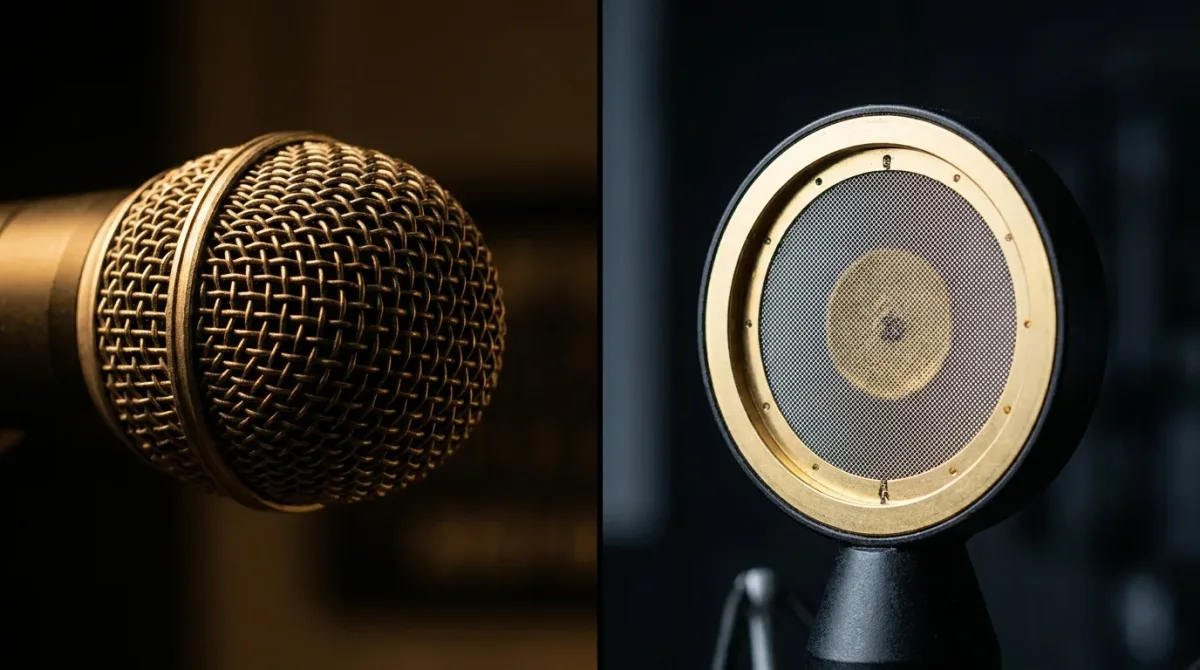
Dynamic vs Condenser: The Real Decision
Here is the practical decision logic. Dynamic mics win when your room is imperfect. You can work at 5–8cm from a dynamic cardioid and maximize the voice-to-room ratio. The proximity effect actually helps — it adds low-end density that sounds broadcast-ready. The trade-off is that dynamics are unforgiving if you drift away from the mic; your voice will go thin and quiet quickly.
Condenser mics win when your room is controlled. They are more detailed and articulate at a given distance, and they tend to produce a "hi-fi" quality that sounds effortless in a treated space. But put a condenser in an untreated room and you will spend hours in post trying to de-room audio that should have been captured cleanly from the start.
The default recommendation for most podcasters recording in home offices, spare bedrooms, or any room that is not acoustically treated: start with a dynamic. The MV7+ and PodMic USB are the best two options in that category. The Q2U is the budget entry point.
Common Pitfalls and How to Solve Them
Room Reflections
The "bathroom podcast" sound — hollow, echoey, distant — is almost always a distance problem combined with a bad room. The fix is to get closer to the mic (5–10cm for a dynamic) and add soft materials to the room: a rug under the desk, heavy curtains, a bookshelf behind the recording position. Dedicated acoustic panels at first reflection points make the biggest difference, but even a thick duvet hung behind the recording position beats an untreated wall.
Plosives
"P" and "B" blasts are the fastest way to sound amateur. The PodMic USB's combination of internal and external pop filters is the best hardware solution at its price point. The NT-USB Mini and Wave:3 both include built-in pop protection. But hardware only gets you so far — a slight off-axis angle (aim the mic toward the corner of your mouth rather than directly at your lips) eliminates most plosives that filters miss.
Sibilance
Harsh "S" sounds are caused by a combination of voice characteristics, mic positioning, and sometimes over-compression. The fix: aim the mic slightly off-axis (10–30°) and avoid EQ boosts in the 5–10kHz range. In post, a gentle de-esser applied transparently is the standard professional solution. Do not try to compress your way out of sibilance — it makes things worse.
Sample-Rate Mismatch on Windows
If your audio sounds garbled, distorted, or pitch-shifted after a recording session, there is a very good chance your input and output devices are set to different sample rates in Windows audio settings. The fix is straightforward: set both to 48kHz in your system sound properties. 48kHz is the universal standard for podcast production. There is no meaningful reason to record at 96kHz for spoken-word content — it creates larger files and provides zero audible benefit.
Mic Technique: The Free Fix That Beats Every Upgrade
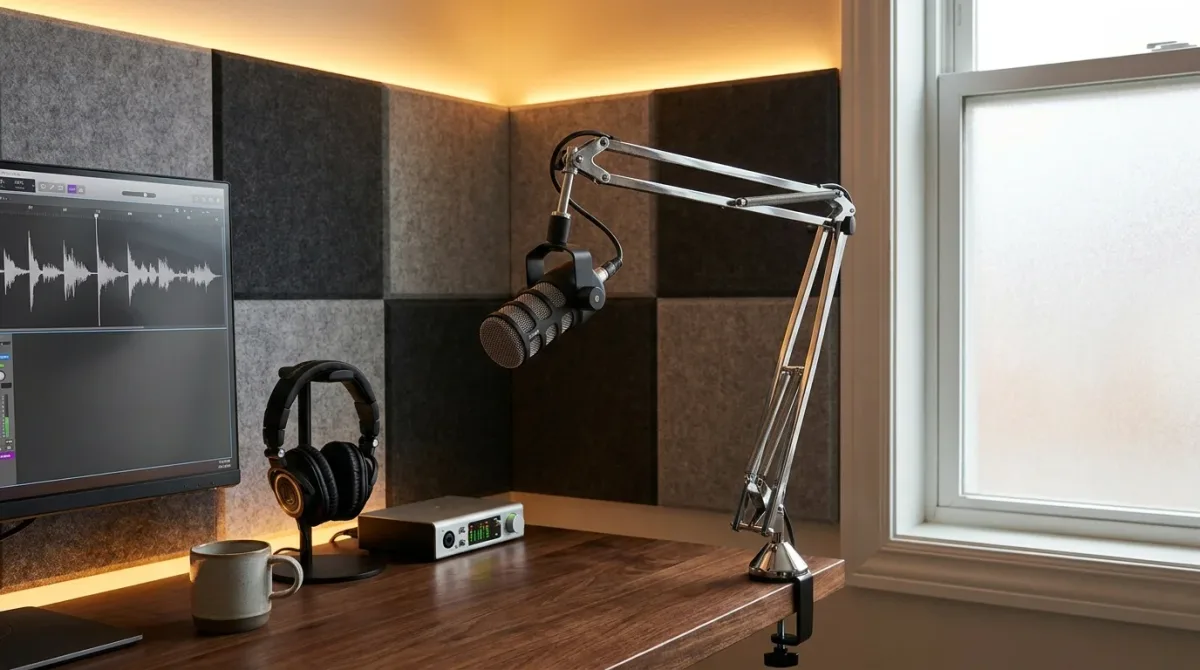
You can spend $300 on a Shure MV7+ and still sound worse than someone on a $70 Q2U who knows what they are doing. Technique accounts for more of your final sound quality than the mic itself at any budget under $500.
The baseline: dynamic mic at 5–8cm, slightly off-axis, at mouth height or slightly below. Always use a pop filter — even mics with internal filtering benefit from the extra layer. Monitor through headphones during every recording session so you catch problems in real time rather than discovering them in post.
For condenser mics, give yourself 10–15cm and back off slightly if you hear plosives. The extra distance reduces low-end buildup and gives the capsule a more natural sound. Keep the mic on a stable arm mount rather than a desk stand — desk vibration from keyboard typing is a real problem that a solid arm eliminates completely.
For complete loudness normalization standards that affect how your final exported audio should be prepared, check out our YouTube LUFS normalization guide — the same LUFS principles apply to podcast platform delivery.
USB vs XLR + Audio Interface
When to Stay on USB
USB wins on simplicity and speed. One cable, one device, predictable behavior. For a solo podcaster who records, edits, and publishes from one machine, a high-quality USB mic like the MV7+ removes an entire layer of gain-staging complexity that an interface setup introduces. The onboard DSP options on the MV7+ and Wave:3 give you processing that would require additional plugins or hardware in an XLR chain.
When to Move to XLR
The main reasons to move to an XLR interface setup are: you need more than two microphone inputs, you want independent gain and EQ control per channel, or you need stable clocking for multi-mic recordings. Interfaces also give you better headphone management for multiple guests recording simultaneously. This is a real concern for in-person four-person podcast panels, but irrelevant for the majority of solo and dual-host shows.
The Hybrid Play
The smartest move for most podcasters is to buy a hybrid USB/XLR mic now and upgrade the interface later. The Q2U, PodMic USB, and MV7+ all support both paths. You start simple and keep the mic investment when you eventually add an interface.
Final Thoughts
The best USB microphone for your podcast is not the one with the highest sample rate or the most impressive spec sheet — it is the one that fits your room, your workflow, and your actual recording habits. For most people, that means the Shure MV7+ if budget allows, the RØDE PodMic USB if you want broadcast density with an upgrade runway, or the Samson Q2U if you are starting out and want to be smart about money.
Whatever mic you choose, fix your technique and your room before spending more on gear. A $70 Q2U at 6cm in a soft room sounds better than a $300 condenser across the desk in a reflective one. I have heard it myself dozens of times.
Once you have your recordings dialed in, use Audio Forge Pro to clean up your files before publishing. Our free browser-based silence remover trims dead air automatically, and the LUFS normalizer prepares your audio to hit Spotify, Apple Podcasts, and YouTube platform standards precisely — no plugins, no DAW required. Just drag, process, and export.
Transparent Disclosure: The author is the Founder of Audio Forge Pro. Recommendations reflect genuine relevance to this topic. Core audio processing is free with no login required.
Responses
Join the community discussion. Sign in with Google to post a comment after the page finishes loading.