
7 Audio Editing Hacks for Beginners (Studio Quality 2026) — complete guide
Audio is the part of your production nobody compliments and everybody notices. Whether you are launching a podcast, building a YouTube channel, recording an indie film, or just trying to sound competent on a client call, the sound is what decides whether people stay.
The asymmetry is what surprises people. A beautifully shot video with echoing, distorted audio gets abandoned in seconds. A visually plain video with clean, well-levelled audio can hold an audience for an hour. Being audible is the floor, not the goal — clean audio is what makes you sound like you know what you are doing.
The short version: almost every beginner audio problem is solved by the same six moves, done in order — set your recording level before you press record, remove noise once and lightly, cut the two or three frequency ranges that are actually causing the problem, add gentle compression, tidy the pauses without making the speech sound clipped, and check the finished loudness before you export. Everything below is a more detailed version of that sequence, and you do not need paid software for any of it.
For a beginner, though, the field looks impenetrable. LUFS, compression thresholds, EQ sweeps, gain staging, and every editor hiding those controls behind a different menu. Most of it you can safely ignore. A small number of habits do almost all of the work, and they are the ones experienced creators wish they had learned in their first month rather than their third year.
That is what this guide covers: the specific, repeatable moves that save time and make a measurable difference to how your audio sounds, without buying anything.
The Foundation: Why Audio Quality Holds Immense Psychological Power
Before the technical steps, it is worth knowing why this matters as much as it does. Hearing is a threat-detection sense; the brain is unusually sensitive to distortion, noise, and sudden level changes because historically those mattered. Bad audio is therefore not just unpleasant, it is effortful — the listener has to work to decode the message, and that effort accumulates as fatigue.
Conversely, clean, rich, and well-balanced audio lets the listener settle in. It allows your audience's brain to relax and fully absorb your message without friction. Think of it this way: audiences will readily forgive a slightly blurry or poorly lit video if the story is good, but they will ruthlessly click away from a video with piercing, muffled, or echoing audio. Investing time in these hacks is an investment in your audience's comfort and your brand's credibility.
Hack 1: The "Before You Even Start" Secret – Mastering Room Tone
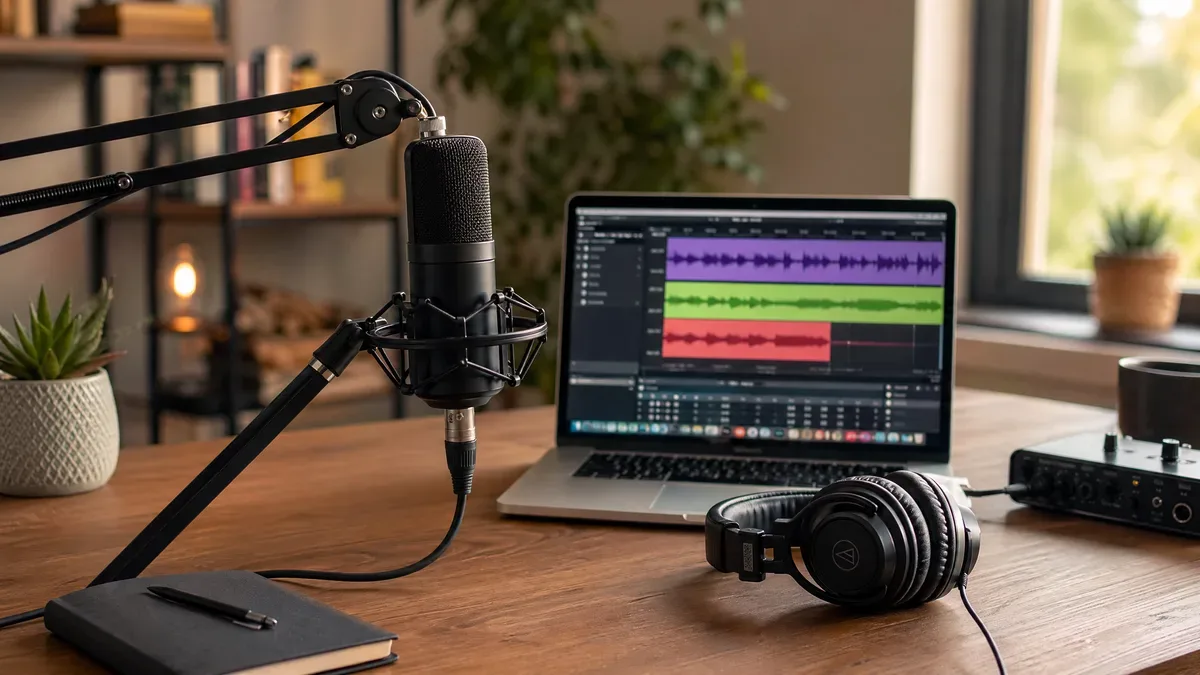
This is perhaps the single most overlooked yet genuinely important habit for any new creator. Room tone is the natural, ambient sound of your specific recording environment when absolutely no one is speaking and no intentional noise is being made. It is not digital silence; true silence rarely exists anywhere outside of a specialized vacuum chamber.
Every single room on earth has a unique sonic fingerprint. It might be a subtle hum from a refrigerator three rooms away, a distant whir of an HVAC system, the faint rustle of air moving through the vents, or the low rumble of outside traffic. When you record, your microphone captures this fingerprint underneath your voice.
The Problem: When you are editing your audio, you will inevitably need to cut out mistakes, excessive 'umms', long awkward pauses, or unwanted sudden noises like a cough or a passing siren. If you simply delete that bad section and pull the remaining clips together, or leave a gap of absolute digital silence, the listener will hear the background noise suddenly drop out and come back. This 'pumping' of background noise is incredibly jarring and immediately marks the audio as amateur.
The Solution: Recording 30 to 60 seconds of pure room tone before you even start speaking changes everything. You hit record, sit perfectly still, don't shuffle papers, don't breathe heavily, and just let the mic record the 'silence' of the room.
How to Use It: When you make a cut to remove a mistake, you don't leave digital silence. Instead, you copy a small snippet of your recorded room tone and paste it into the gap. This maintains a continuous, unbroken bed of natural background ambiance, making your edits completely invisible to the listener. It is the audio equivalent of blending foundation in makeup—it smooths out the rough edges and creates a flawless, undetectable finish.
Hack 2: The Invisible Edit – Advanced Fades and Crossfades
If room tone is the foundation of a good edit, fades and crossfades are the invisible mortar that holds the bricks of your audio together. A very common and fatal mistake beginners make is simply taking the razor tool, cutting an audio clip, and placing it directly next to another clip.
The Problem: Because audio travels in waveforms (peaks and valleys of voltage), cutting a clip at a random point often means you are cutting the wave when it is above or below the zero-crossing line. When the speaker's playback system suddenly jumps from zero to a high voltage point on the new clip, it produces a tiny, sharp, highly irritating "click" or "pop" sound.
The Micro-Fade Hack: To entirely eliminate these editing clicks, you must use micro-fades. A fade-in gradually increases the volume from zero to the clip's natural level over a set time, while a fade-out does the reverse. We aren't talking about long, dramatic cinematic fades. A micro-fade lasts only a few milliseconds—typically 5ms to 10ms. Applying a 5ms fade to the beginning and end of every single clip you slice ensures a mathematically smooth transition of voltage, completely eliminating pops.
The Crossfade Technique: When you are joining two clips directly together (for example, removing a flubbed word and connecting the two good takes), a micro-fade isn't enough; you need a crossfade. A crossfade simultaneously fades out the end of the first clip while fading in the beginning of the second clip, blending them perfectly.
Hack 3: The "Magic Wand" – Demystifying EQ (Equalization)
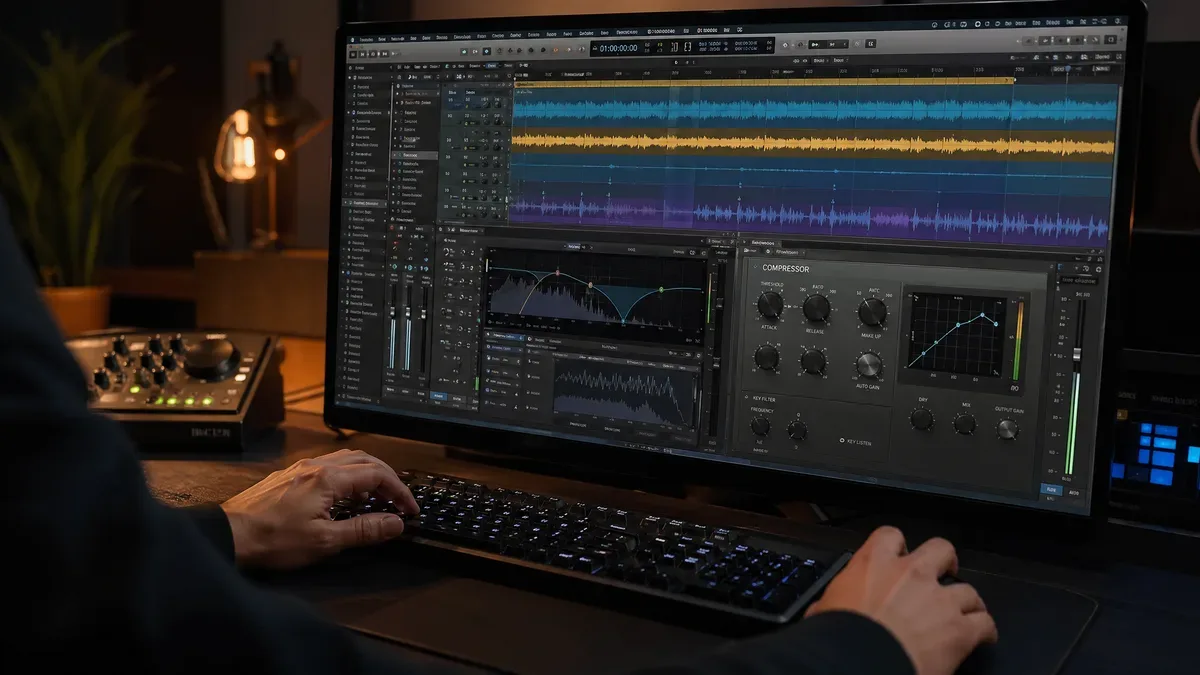
Equalization, or EQ, is usually the most intimidating tool for beginners. You open the plugin, and it looks like a complex scientific graph with numerous knobs, bells, and sliders. However, understanding a few core principles turns EQ from a nightmare into your most powerful weapon for shaping the tone and clarity of your voice.
EQ simply allows you to turn up (boost) or turn down (cut) the volume of specific frequencies within your audio. It helps you carve out mud, reduce harshness, and enhance the pleasing aspects of a voice.
The Essential High-Pass Filter (HPF): The very first thing you should do with nearly every vocal recording is apply a High-Pass Filter (also known as a low-cut filter). This filter allows high frequencies to pass through untouched while severely cutting off low frequencies. Most vocal recordings contain invisible low-end rumble—air conditioning hum, heavy truck traffic outside, or the 'proximity effect' (the booming bass boost that happens when you speak too close to a mic). Set your HPF to roll off everything below 80Hz to 100Hz. This instantly cleans up the "mud" without thinning out the actual human voice.
The "Sweep and Destroy" Technique: Sometimes your recording has a specific, highly annoying resonance—maybe a harsh ringing sound or a "boxy" tone that sounds like you are speaking inside a cardboard box. To fix this, use the 'Sweep and Destroy' method:
- Boost: Take one band of your EQ, make it very narrow (high 'Q' value), and boost it aggressively by +10dB.
- Sweep: Slowly drag that boosted band left and right across the frequency spectrum while the audio plays.
- Identify: When that annoying ringing sound suddenly becomes overwhelmingly loud and unbearable, you have found the exact problem frequency.
- Destroy: Now, reverse the boost. Cut that frequency by -3dB to -6dB to surgically remove the harshness.
The "Air" Polish: To give your voice that expensive, NPR-style radio polish, apply a very subtle boost (1 to 2 dB max) using a "high-shelf" filter around 10kHz to 12kHz. This adds "air" and crisp articulation, making the voice sound more present and intimate.
Hack 4: Taming the Beast – Compression Explained Simply
If EQ is about shaping the tone (the color of the sound), compression is entirely about controlling the dynamics (the difference between the loudest and quietest parts of your audio).
A raw, unedited vocal recording is highly dynamic. You might whisper the beginning of a sentence for dramatic effect and then laugh loudly a moment later. This extreme dynamic range is exhausting for a listener; they have to constantly turn their volume dial up to hear the whispers and quickly turn it down so the laughs don't hurt their ears.
A compressor acts as an automatic volume knob. It waits for the audio to get too loud, and then it automatically turns it down instantly. This allows you to then raise the overall volume of the entire track, bringing the quiet whispers up so they are clearly audible, without the loud laughs clipping or distorting.
Beginner Compressor Settings Cheat Sheet:
- Threshold: Set this so the compressor only engages during the loudest peaks of your speech. (Usually between -15dB and -20dB depending on your input).
- Ratio: This is how hard it clamps down. For natural-sounding vocals, use a ratio of 3:1 or 4:1. This means if the audio goes 4dB over the threshold, the compressor only lets 1dB through.
- Attack: How fast the compressor grabs the audio. Use a medium-fast attack (around 10ms to 15ms) to catch sudden spikes without killing the natural punch of consonants.
- Release: How fast it lets go. Set this around 100ms to 150ms so it releases naturally before the next word begins.

Hack 5: The "Breath" Rule – Do Not Suffocate Your Audio
A very common and destructive mistake among new editors is the obsessive desire to hunt down and completely delete every single breath from a vocal recording. While it might seem logical to want a "perfectly clean" track, removing all breaths makes the speaker sound like a synthetic AI robot, or worse, someone who is literally suffocating.
Human beings breathe. It is a natural part of the rhythm and cadence of speech. Removing it completely creates subconscious anxiety in the listener.
The Pro Approach: Instead of deleting breaths, you must manage them. Use a technique called "clip gain" or volume automation. Simply highlight the breath and reduce its volume by -5dB to -10dB. This pushes the breath into the background—making it far less distracting—but keeps it present enough to maintain the natural humanity of the performance. Only completely cut a breath if it is an exceptionally loud, wet gasp that distracts from the core message.
Hack 6: The AI Revolution – Magic One-Click Enhancements
We are officially living in the golden age of audio technology. AI has genuinely changed what is possible, especially for beginners who don't have perfect acoustic treatment or expensive microphones.
Tools like Adobe Podcast Enhance, Descript's Studio Sound, or the advanced neural networks inside iZotope RX can perform miracles. They analyze a recording made in a highly reverberant, noisy room, isolate the core human voice, mathematically rebuild missing frequencies, and strip away background noise, making it sound like it was recorded in a $10,000 vocal booth.
The Golden Rule of AI: Always use these tools in moderation. Most AI tools have a percentage slider (0% to 100%). Never leave it at 100%. A fully AI-processed voice often sounds slightly synthetic, underwater, or robotic. The sweet spot is usually between 60% and 80%. This gives you the massive benefit of noise reduction while retaining the organic texture of the original human voice. For a deep dive on how to avoid the robotic-voice pitfall, read our companion guide on How to Remove Background Noise from Audio Engineering Society (AES) guidelines Without Making Voice Robotic.
If you want a fast, free, browser-based way to clean up your tracks before you start EQ-ing and compressing, try the Audio Forge Pro silent-gap remover as a first pass — it saves minutes of manual razor work per episode.
Hack 7: Stop Normalizing, Start Gain Staging
Many beginners rely heavily on the "Normalize" function. Normalization simply scans the audio file, finds the single loudest peak, and mathematically turns the entire file up until that peak hits a specific target (like 0dB).
Why Normalization Fails: If you have one accidental loud desk bump in an otherwise quiet 30-minute recording, normalization will do absolutely nothing to make the voice louder, because the desk bump is already hitting the maximum ceiling.
The Secret is Gain Staging: Gain staging means managing your volume manually at every single step. Record your audio so your loudest peaks hit around -12dB to -6dB. Then, manually adjust the clip gain of quiet sections to match loud sections visually. Finally, use compression to glue it together. This manual, methodical approach achieves a massively superior, broadcast-ready sound compared to lazy normalization. If you are preparing audio for YouTube, the final target you are aiming for is -14 LUFS integrated. If the difference between LUFS and dB is still fuzzy, our beginner-friendly LUFS vs dB Audio Loudness Guide will clear everything up in under 12 minutes.
Hack 8: The "Fresh Ears" and "Car Test" Protocol
This is a psychological hack, not a technical one, but it is equally vital. When you spend three hours editing a podcast or video, listening to the exact same audio loops repeatedly, your ears experience severe "ear fatigue." You literally lose the physiological ability to hear harshness, mud, or volume imbalances accurately.
The Protocol: Never, ever finalize and publish a mix immediately after editing it. Step away from your computer. Go for a walk. Get a coffee. Ideally, sleep on it. When you return the next morning with "fresh ears," you will immediately notice glaring issues that you were completely deaf to the night before.
Finally, always do the Car Test. Studio monitors and expensive headphones flatter audio. To know if your mix truly translates to the real world, listen to your exported file on cheap earbuds, your smartphone speaker, and especially in your car. If it sounds clear, punchy, and balanced in a noisy car, it will sound incredible everywhere else.
What Actually Changes When You Add These Eight Hacks
I want to be straight with you about evidence, because this niche is full of case studies with suspiciously tidy numbers. I cannot show you a verified before-and-after analytics screenshot for someone else’s channel, and neither can most articles that publish one. What I can describe is the failure pattern I see again and again when creators send me a file, and what predictably changes when the eight steps above get applied to it.
The pattern is almost always the same. The gear is fine — a decent wireless lav or a USB condenser, often better than what the channel actually needs. The recording goes straight from camera to editor to upload with no audio pass at all. On playback you get loud wet breaths between every sentence, hard cuts with no room tone underneath them so each edit lands with a click, and a level that swings ten decibels or more between an energetic section and a quiet aside. None of that is a gear problem. All of it is a ten-minute problem.
What changes when the pass gets added is easier to hear than to quantify. Breaths stop pulling attention. Cuts stop announcing themselves. The viewer stops adjusting the volume, which is the single most reliable sign that a mix is working. Whether that translates into a specific retention percentage depends on your content, your niche, your thumbnails, and a dozen things audio cannot touch, and any number I gave you here would be invented.
There is real research on the direction of the effect, though. A 2022 Texas Tech study by Wilkinson found that degraded audio quality measurably reduced listener retention and lowered perceived credibility of the speaker. That is the honest version of the claim: better audio does not guarantee growth, but bad audio reliably costs you attention you already earned.
The practical point is the cost side. This routine adds about ten minutes to a video you already spent hours making. There is no gear purchase and no new subscription in it. That is a very cheap experiment to run on your own channel, and unlike a stranger’s case study, the results will actually be yours.
Your First 10 Minutes: A Step-by-Step Editing Routine You Can Use Today
To make this actionable right now, here is the exact ten-minute routine. It works in every editor: Audacity official open-source editor, Premiere Pro, DaVinci Resolve, CapCut, even the free browser-based tools.
- Silence and gap removal (2 minutes) — Load your raw voice file into your editor. Play through once using the scrollbar to visually scan for pauses longer than a half-beat. Highlight and delete obvious long silences, or use a silence-detection tool if your editor has one. For creators using CapCut on desktop, the "Remove Silence" button with default sensitivity gets you 80% of the way there in one click.
- Breath management (90 seconds) — Do NOT delete breaths. Instead, zoom into 3 or 4 of the loudest, wettest-sounding breaths. Use clip gain or the volume handle to pull just those breaths down by -6dB to -8dB. That is all you need to do — do not hunt down every single one.
- High-Pass Filter (60 seconds) — Apply an HPF preset or a single EQ band cutting everything below 90Hz. This instantly removes floor rumbles, mic stand knocks, and air-conditioner thrum that you might not even consciously hear on headphones.
- Manual clip gain leveling (3 minutes) — This is the longest step, but it is the one that delivers the most audible improvement. Play through the timeline and find the 3 loudest sentences and the 3 quietest sentences. Pull the quiet ones up by 3-5dB via clip gain. Push the loud ones down slightly if they are peaking over -3dB. The goal is visual consistency on the waveform so no single region jumps out at the eye.
- Light compressor (60 seconds) — Drop a compressor on the track with preset settings: Ratio 2.5:1, Threshold adjusted so your loudest peaks trigger a 2-3dB gain reduction, Attack 20ms, Release 120ms. Leave the output/makeup gain at 0 for now. You are glueing, not squashing.
- Presence boost (45 seconds) — Add one final EQ band: a gentle +2dB shelf starting at 2kHz and running up to 12kHz. This is the "radio voice" trick. It makes consonants cut through on phone speakers without adding harshness.
- Micro-fades across the whole timeline (30 seconds) — If you made 12 cuts, add a 6ms fade-in and 8ms fade-out to every resulting clip. Most editors let you apply this as a default clip transition so you never have to think about it again.
- LUFS normalization or final gain check (90 seconds) — If your editor has a loudness meter (Premiere, DaVinci, Audacity 3.4+ all do), run it and target roughly -14 LUFS integrated. If you do not have a meter, just play the final mix side-by-side with a popular YouTube video in your niche and turn your master gain up or down until the perceived volume feels identical.
That is the entire routine. 10 minutes, 8 steps, zero new gear purchases. Do this for every upload for 90 days and your viewers, the algorithm, and eventually your sponsors will notice the difference.
Conclusion: The Journey from Amateur to Authoritative
Audio editing is an incredibly rewarding blend of technical science and creative art. The tools and techniques unpacked in this guide—from mastering the invisible art of room tone and micro-fades to wielding EQ and compression with confidence—are the foundational building blocks of professional, world-class sound.
However, simply reading about these hacks is only the first step. True mastery comes from spending time in the trenches: practicing, developing critical listening skills, and possessing a willingness to experiment and make mistakes. Train your ears to hear the subtle differences.
By consistently applying these advanced hacks, you will gradually but inevitably transform your audio from amateurish and distracting to authoritative and captivating. In the digital age, your voice is your most powerful, persuasive asset—take the time to make it sound its absolute best.
Further Reading: Continue Your Audio Education
These eight hacks are only the beginning. Every creator's journey is different, and your next challenge might be a specific platform, bug, or workflow bottleneck. Here are the most requested companion guides that readers move to next:
- If you edit video alongside audio: Fixing Common Audio Problems in Video Editing: The Complete Editor's Guide — walks through five years of editor-tested solutions for volume rollercoasters, pacing, and frequency conflicts.
- If you are preparing podcasts or interviews for Premiere Pro: Faster Than Auto-Ducking: How to Prep Podcast Audio Before Premiere Pro — the exact prep workflow that makes auto-ducking sound musical instead of robotic.
- If loudness targets still confuse you: YouTube LUFS Normalization Explained: Perfect Audio Levels Every Time — a 20-minute deep dive that removes all the guesswork around platform-specific loudness.
- If you are chasing Shorts retention: The 0.2 Second Rule: How Audio Pacing Determines Your YouTube Shorts Viral Potential — the neuroscience-backed pacing framework used by creators hitting 70%+ completion rates.
- If you already use AI cleanup but your voice still sounds hollow: Why Your Voice Sounds Thin After AI Noise Reduction (And How to Fix It) — covers the exact EQ moves and low-bandwidth reharmonization tricks that restore a natural, warm timbre.
- If you are still editing silences by hand: Professional Silence Removal Techniques for Content Creators — technical padding, crossfade, and threshold-selection patterns used by working audio engineers.
Transparent Disclosure: The author is the Founder of Audio Forge Pro. Recommendations reflect genuine relevance to this topic. Core audio processing is free with no login required.
Responses
Join the community discussion. Sign in with Google to post a comment after the page finishes loading.