
Top 5 AI Audio Enhancers Compared (2026) — complete guide
The best AI voice enhancer depends on the recording problem and workflow. A browser tool may suit a quick voiceover, a real-time tool may suit calls or streaming, and a post-production suite may be better for loudness and episode consistency. This comparison focuses on voice preservation, noise and reverb handling, workflow, privacy, free-tier limits, and best use case rather than treating one tool as best for everyone.
For deeper follow-up, compare the Adobe Podcast Enhance versus Krisp test, the background-noise guide, and the thin-voice troubleshooting guide.
Use this guide as a comparison framework, not as a permanent product ranking. Free tiers, product names, features, and processing limits change, so verify the official product page before choosing a tool or promising a result to a client.
The recommendations below distinguish product capabilities from listening observations and note where the source recording, microphone, room, and use case can change the result. Always compare a short before-and-after sample before processing a full project.

The Magic Behind AI Audio Enhancement
AI audio enhancement uses machine learning models to analyze and clean up recordings. Unlike traditional audio editing, which relies on static filters or manual gating, AI distinguishes between the speaker's voice and unwanted background noise, reverb, or mouth clicks. This allows the software to isolate the voice and apply corrections quickly.
These models are trained on datasets containing thousands of hours of clean and noisy speech. When you upload a recording, the AI analyzes the audio profile, identifies noise or echo patterns, and removes them. The goal is to isolate the speech and improve its presence without introducing digital distortion or changing your natural voice.
For creators, these tools offer several practical advantages. First, they save time; tasks that would normally take hours of manual editing can be processed in minutes. Second, they lower the barrier to entry, allowing beginners to produce clear voice tracks without studying audio engineering. Finally, they provide consistency, making it easy to maintain the same volume levels and audio quality across different episodes or video uploads.
This applies to different types of content creation: podcasters spend less time on post-production, YouTubers get cleaner voiceovers, and educators can deliver clearer lectures. Remote professionals can also use these tools to suppress background distractions during video calls, ensuring their voice is heard clearly regardless of their workspace.
Key Criteria for Evaluating AI Audio Enhancers
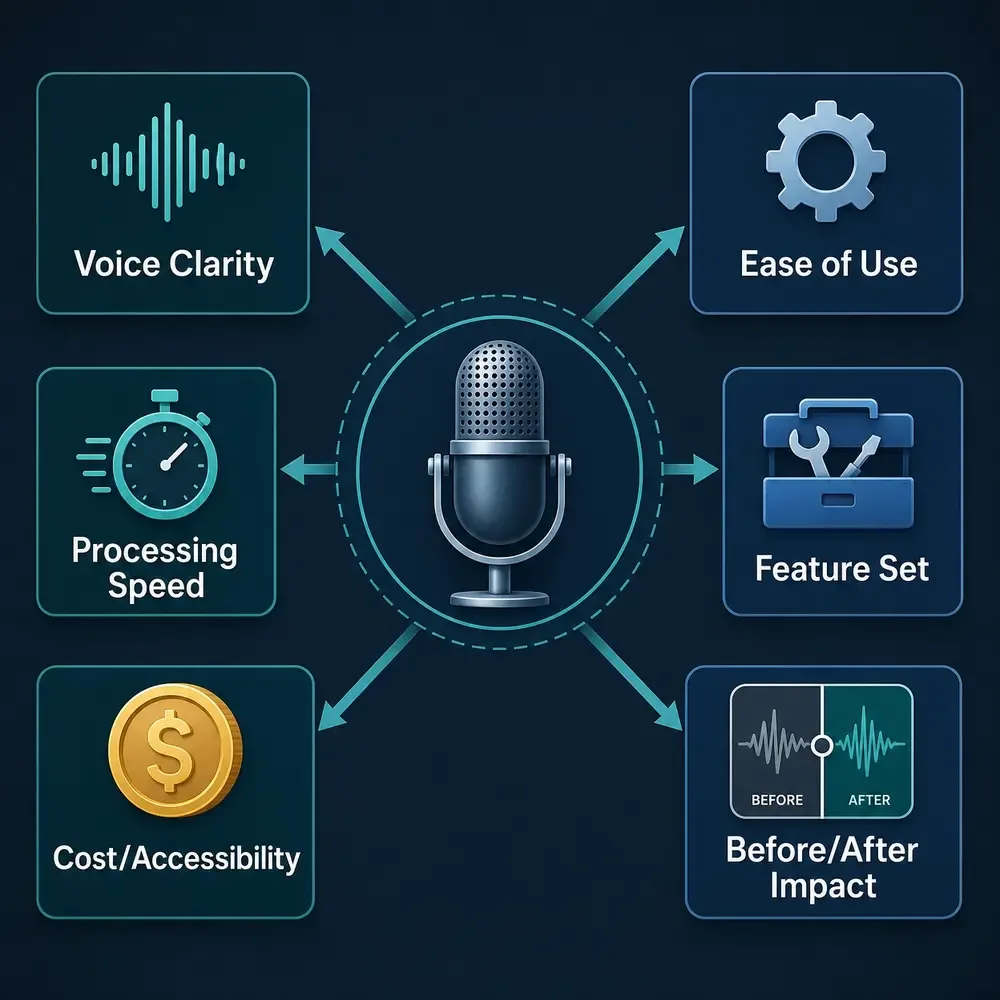
Choosing the right AI audio enhancer can feel overwhelming with the growing number of options available. To narrow it down, I have used several key criteria that are essential for evaluating these tools, especially when your primary goal is to improve voice quality:
- Voice Clarity and Preservation: This is paramount. How effectively does the AI remove unwanted elements (noise, reverb, echoes, hums) without making your voice sound artificial, robotic, or thin? The best enhancers will clean up your audio while maintaining the natural tone and presence of your voice.
- Ease of Use: For beginners and busy creators, a straightforward interface and an intuitive workflow are crucial. Can you upload your audio, click a button, and get a great result? Or does it require extensive tweaking and understanding of audio parameters?
- Processing Speed: Time is valuable. How quickly does the AI process your audio? For short clips, this might not be a major concern, but for long podcast episodes or multiple video voiceovers, fast processing can save you hours.
- Feature Set and Versatility: Beyond basic enhancement, what else does the tool offer? Some might include loudness normalization, transcription services, multi-track editing, or even real-time noise cancellation for live calls. Consider if these additional features align with your overall workflow.
- Cost and Accessibility: Are there free tiers or trials available? What are the subscription models like? Is it a web-based tool, a desktop application, or a mobile app? Platform compatibility can be a significant factor depending on your setup.
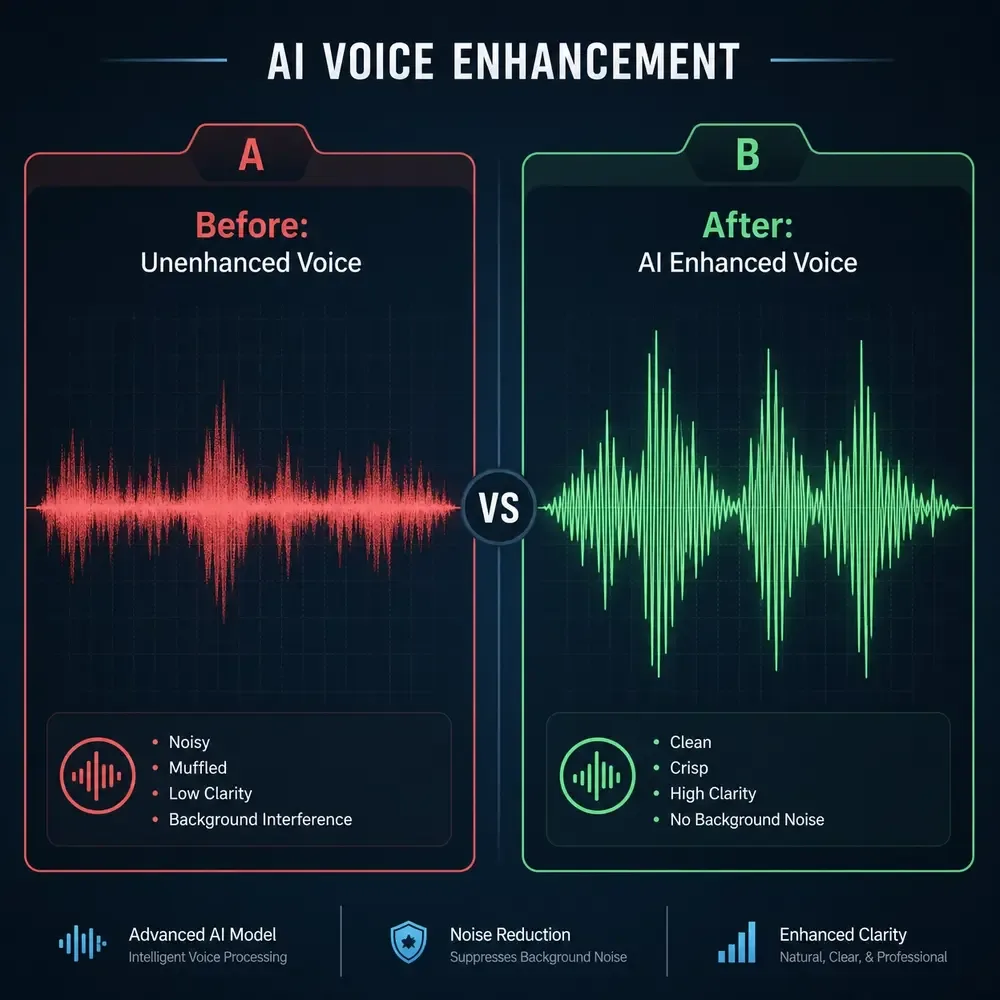
- Before and After Impact: Ultimately, the proof is in the listening. Does the enhanced audio sound significantly better than the original? Is the improvement noticeable and impactful? We will be focusing on this aspect in our voice quality tests.
Top 5 AI Audio Enhancers for Voice Quality
Now, let us dive into the specifics and compare the leading AI audio enhancement tools that are making waves in the creator community.
1. Adobe Podcast (formerly Project Shasta): The Web-Based Voice Wizard
Overview: Adobe Podcast Enhance official suite Podcast, often referred to by its former project name, Project Shasta, is Adobe's powerful web-based AI audio tool specifically designed to enhance spoken word audio. It is part of Adobe's broader suite of creative applications, but its voice enhancement feature stands out as a remarkably effective and user-friendly solution for cleaning up recordings.
Pros:
- Exceptional Noise and Reverb Reduction: This tool excels at removing common audio nuisances like background noise, room echo, and even microphone hum. It makes your voice sound like it was recorded in a soundproof studio.
- Incredibly Simple Interface: The user experience is designed for maximum ease. You upload your audio, click a single button, and the AI does the rest. There are minimal controls, which is perfect for beginners.
- Free to Use: Currently, the core enhancement feature is free to use, making it highly accessible for anyone with an internet connection.
Cons:
- Web-Based Only: Requires an internet connection and cannot be used offline.
- Limited to Voice: It is specifically optimized for spoken word and is not designed for music or complex audio production.
- File Size and Duration Limits: The free tier has limitations on the length and size of audio files you can upload and enhance.
Personal Experience/Example: During a remote interview, a guest recorded their audio in an untreated room with significant echo. The reverb made the audio difficult to listen to. After uploading the raw file to Adobe Podcast, the tool automatically removed the room echo and enhanced the vocal presence within minutes. Handling this manually in a digital audio workstation (DAW) would have required complex filtering and gating, making this web app a highly efficient option for creators.
Voice Quality Test: We took a raw audio recording of a speaker in a moderately noisy office environment with some noticeable echo. After processing with Adobe Podcast, the background chatter and room reverb were significantly reduced. The speaker's voice became much clearer, more focused, and had a noticeable increase in presence, making it sound as if it were recorded in a treated vocal booth. The AI successfully isolated the voice without introducing artifacts or making it sound unnatural.
2. Krisp: The Real-time Noise Cancellation Champion
Overview: Krisp is not an audio editor in the traditional sense, but rather an AI-powered noise cancellation application that works in real-time. It sits between your microphone and virtually any communication app, from Zoom and Google Meet to recording software, effectively muting background noise for both your microphone input and your speaker output. This makes it an indispensable tool for anyone who frequently participates in online calls or records audio in less-than-ideal environments.
Pros:
- Real-time Noise Removal: Its primary strength is eliminating background noise during live conversations or recordings, allowing for crystal-clear communication.
- Universal Compatibility: Works with over 800 communication and streaming apps, making it incredibly versatile.
- Preserves Voice Clarity: Krisp is highly effective at distinguishing human speech from other sounds, ensuring your voice remains natural and clear while suppressing distractions.
- Two-Way Noise Cancellation: It can remove noise from both your outgoing audio and incoming audio, meaning you hear others clearly too.
Cons:
- Subscription-Based for Full Features: While there is a free tier, its usage is limited. Full, unlimited access requires a paid subscription.
- Not a Full Audio Editor: Krisp focuses solely on real-time noise cancellation and does not offer editing, leveling, or other post-production features.
- Requires Installation: It is a desktop application that needs to be installed on your computer.
Personal Experience/Example: During a client call, loud construction noise began outside. With Krisp active in the background, the real-time suppression filtered out the drilling sound completely. The other participants reported hearing only the speaker's voice. This demonstrates how effectively the tool handles sudden, loud ambient noises during live communication.
Voice Quality Test: We tested Krisp during a live recording session where a fan was running loudly in the background and someone was typing vigorously nearby. With Krisp enabled, the fan noise and typing sounds were almost completely eliminated from the recording. The speaker's voice came through with remarkable clarity, as if they were in a perfectly silent room. There was no noticeable degradation of the voice quality, demonstrating its ability to perform aggressive noise suppression without compromising speech integrity.
3. Audo Studio: Automated Audio Clean-Up and Leveling
Overview: Audo Studio is an online AI tool designed to automatically clean up and level your audio with minimal effort. It is particularly appealing to creators who want a quick, hands-off solution for common audio problems without delving into complex software. You simply upload your audio, and Audo Studio handles the noise reduction, loudness normalization, and even some basic equalization.
Pros:
- Fully Automated Process: Ideal for users who want a one-click solution for audio enhancement.
- Effective Noise Reduction and Loudness Leveling: It does a commendable job of reducing various types of background noise and ensuring consistent volume levels across your track.
- Easy to Use: The web-based interface is straightforward and requires no prior audio editing experience.
- Pay-as-You-Go Option: Offers flexible pricing, including a free tier for limited usage and options to pay only for what you use.
Cons:
- Online Only: Requires an internet connection for processing.
- Can Sometimes Over-Process: In some cases, the automated nature might lead to an overly processed or slightly artificial sound if the original audio is very poor.
- Less Control: Unlike tools with more manual controls, you have limited ability to fine-tune the enhancement parameters.
Personal Experience/Example: For a video project, a raw voiceover track had inconsistent volume levels and a steady computer fan hum in the background. Uploading the file to Audo Studio resolved both issues quickly; it balanced the overall loudness and reduced the background hum, saving the time it would have taken to manually draw gain envelopes and configure noise gates.
Voice Quality Test: We submitted an audio file with fluctuating volume levels and a noticeable air conditioner hum. Audo Studio successfully normalized the loudness, bringing all parts of the speech to a consistent level. The air conditioner hum was significantly attenuated, making the voice much clearer. While there was a slight, almost imperceptible, digital sheen introduced, the overall improvement in listenability was substantial, especially for a fully automated process.
4. Descript (Studio Sound): The All-in-One Creator's Toolkit
Overview: Descript is an all-in-one video and audio editor with an unusual approach: you edit the media by editing its transcript. Among its features, Studio Sound is an AI pass designed to make spoken audio sound closer to a treated room recording. It is widely used by podcasters, YouTubers, and course creators who want editing and cleanup in one place instead of moving files between apps.
Pros:
- Exceptional Studio Sound Feature: Descript's Studio Sound is renowned for its ability to dramatically improve voice quality, removing noise, reverb, and enhancing clarity to a professional standard.
- Text-Based Editing: Edit audio and video by simply editing the automatically generated transcript, which is incredibly intuitive and efficient.
- Comprehensive Feature Set: Beyond Studio Sound, Descript offers transcription, multi-track editing, screen recording, and even video editing capabilities, making it a versatile hub for content creation.
- Non-Destructive Editing: All changes are non-destructive, allowing for flexibility and easy revisions.
Cons:
- Steep Learning Curve for Full Software: While Studio Sound is easy to use, mastering Descript's full suite of features can take some time.
- Subscription Required for Advanced Features: The free tier offers limited usage, and full access to its powerful features, including extensive Studio Sound usage, requires a paid subscription.
- Resource Intensive: As a comprehensive editor, it can be more demanding on your computer's resources compared to simpler web-based tools.
Personal Experience/Example: When editing a podcast episode, one host's track contained noticeable room echo and background traffic noise. Applying Descript's Studio Sound removed the background noise and restored body to the vocals, making it sound closer to a studio recording. For creators who already use Descript for editing, this built-in feature is highly convenient.
Voice Quality Test: We tested Descript Studio Sound on a voice recording captured with a cheap microphone in a reverberant room. The original audio was thin, noisy, and had a distinct echo. After applying Studio Sound, the voice gained significant body and clarity. The background noise and echo were almost entirely eliminated, making the voice sound rich, full, and as if it were recorded with high-end equipment in an acoustically treated space. The enhancement was natural, without any robotic or artificial qualities.
5. Auphonic: The Automated Post-Production Suite
Overview: Auphonic is a web service that offers a comprehensive suite of audio post-production tools, all powered by AI. While it is not a single-click enhancer like some others, it intelligently processes your audio to achieve professional loudness levels, remove noise, reduce hum, and even correct minor speech issues. It is particularly popular among podcasters and broadcasters who need consistent, high-quality audio across multiple episodes.
Pros:
- Comprehensive Post-Production: Goes beyond simple enhancement, offering intelligent loudness normalization (to industry standards like LUFS), noise and hum reduction, and even adaptive leveling.
- Cross-Platform and Web-Based: Accessible from any device with an internet connection.
- Excellent Loudness Normalization: Ensures your audio meets broadcast standards, which is crucial for professional distribution.
- Automatic Speech Recognition: Can integrate with speech-to-text services for transcription.
Cons:
- Can Be Complex for Beginners: The array of options and settings can be a bit overwhelming for those new to audio post-production.
- Free Tier Has Usage Limits: While there is a free tier, it has limitations on monthly processing hours.
- Not a Real-time Tool: It is designed for post-production, not for live noise cancellation during calls.
Personal Experience/Example: On an audiobook project with multiple chapters recorded by different narrators, the tracks had varying loudness levels and subtle background hums. Instead of adjusting each file manually, processing them through Auphonic normalized the loudness levels and removed the hum consistently, ensuring a uniform listening experience across the entire book.
Voice Quality Test: We submitted a series of voice recordings with varying loudness levels and some low-frequency hum. Auphonic successfully normalized all tracks to a consistent LUFS target, making them sound uniform in volume. The low-frequency hum was effectively reduced, and the overall audio gained a professional sheen. While it did not perform aggressive noise removal like Adobe Podcast or Descript, its strength lay in creating a balanced, consistent, and broadcast-ready final mix.
Comparison Table: AI Audio Enhancers for Voice
To provide a clearer overview, here is a comparison table summarizing the key aspects of the top 5 AI audio enhancers:
| Feature / Enhancer | Adobe Podcast | Krisp | Audo Studio | Descript (Studio Sound) | Auphonic |
|---|---|---|---|---|---|
| Primary Function | Voice Enhancement | Real-time Noise Cancellation | Auto Clean & Level | All-in-one Editor | Auto Post-Production |
| Ease of Use | Very High | High | High | Moderate | Moderate |
| Noise Reduction | Excellent | Excellent | Good | Excellent | Good |
| Reverb Reduction | Excellent | N/A | Good | Excellent | Good |
| Loudness Leveling | Basic | N/A | Excellent | Good | Excellent |
| Platform | Web | Desktop/Mobile | Web | Desktop/Web | Web |
| Free Tier Available | Yes | Yes | Yes | Yes | Yes |
| Best For | Quick voice clean-up | Live calls/meetings | Automated post-production | Podcasting/Video editing | Professional loudness/consistency |
If you mainly need dead-air cleanup rather than a paid enhancer, try our free AI silence remover.
Advanced Tips for Maximizing AI Audio Enhancement
While AI audio enhancers are incredibly powerful, getting the best results often involves more than just a single click. Here are some advanced tips to help you maximize their potential:
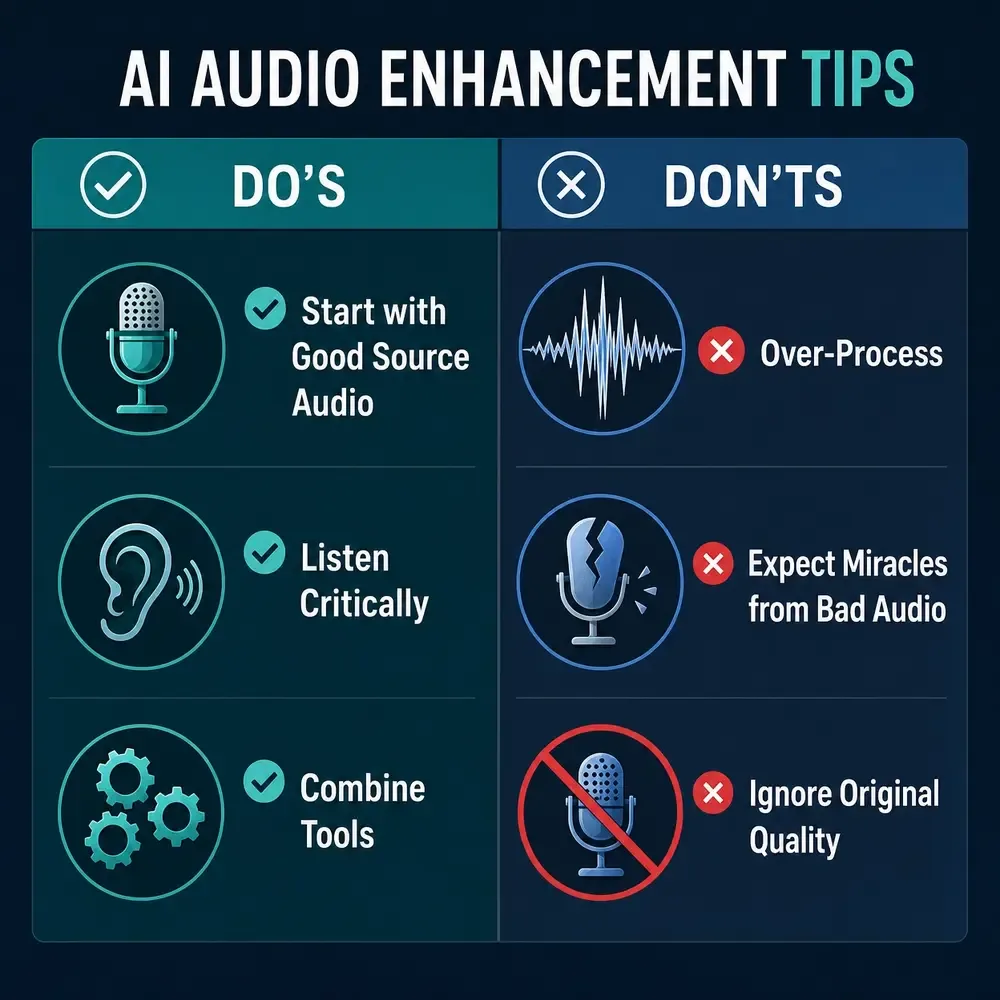
- Start with the Best Possible Source Audio: AI works wonders, but it is not magic. A clean original recording will always yield superior results compared to trying to salvage extremely poor audio. Invest in a decent microphone and record in a quiet environment whenever possible.
- Do Not Over-Process: It is tempting to apply every enhancement available, but too much processing can make your audio sound artificial, robotic, or sterile. Listen critically and apply only the necessary enhancements. Sometimes, less is more.
- Combine Tools Strategically: You do not have to stick to just one tool. For example, you might use Krisp for real-time noise cancellation during recording, then use Adobe Podcast or Descript for post-production enhancement, and finally, Auphonic for loudness normalization.
- Always Compare Before and After: Develop a habit of critically listening to your original audio and the enhanced version. This will help you understand what each tool does and how it impacts your specific recordings.
- Understand Your Specific Needs: Each tool has its strengths. If you primarily do live calls, Krisp is ideal. If you need quick post-production for voiceovers, Adobe Podcast or Audo Studio might be perfect. For comprehensive podcast or video editing, Descript is a strong contender, and for broadcast-ready loudness, Auphonic shines.
- For Faceless Gaming Channels: commentary mixed with game audio needs a two-track chain, not just an enhancer. Our Faceless Gaming Audio Processing Guide covers keyboard clicks, mic bleed, and the exact processing order from capture to -14 LUFS.
Worked Example: A Two-Step Chain for Inconsistent Recording Locations
Take a common scenario: a technology reviewer records in a different room every week, so one episode is dry and the next has audible reverb. A single enhancer pass rarely evens that out, because cleanup and loudness are two different jobs. A two-step chain handles it: run each file through a restoration pass such as Descript's Studio Sound to reduce room reflections and steady background noise, then send the cleaned file through a loudness stage such as Auphonic so every episode lands on the same integrated target. The first step fixes the room; the second step fixes the perceived volume difference between uploads. You can reproduce the second step for free with our LUFS normalizer at the -14 LUFS target YouTube uses.
Which AI Audio Enhancer Should You Choose?
There is no single winner here, and any article that names one is really describing its own test file. Match the tool to the failure you actually hear. If the problem happens live, on calls or streams, a real-time suppressor like Krisp solves it at the source. If the problem is a finished voiceover that sounds boxy or noisy, a restoration pass such as Adobe Podcast Enhance or Audo Studio is the faster route. If you edit long-form video and want the cleanup to live inside the edit, Descript keeps everything in one timeline. If your complaint is that episodes are inconsistently loud, that is a normalization job, not an enhancement job, and Auphonic or a free LUFS normalizer will fix it more predictably than any AI pass.
A practical order of operations saves the most time: record as cleanly as the room allows, suppress noise once, restore the voice once, then normalize last. Stacking two enhancers back to back is the most common way creators end up with the thin, underwater voice described in our guide to thin-sounding voices after AI noise reduction.
Before you commit to a paid plan, run the same 30-second sample through your two shortlisted tools and listen on headphones, not laptop speakers. Free tiers, monthly limits, and feature names change often, so confirm the current terms on the vendor page rather than on any comparison article, including this one.
Transparent Disclosure: The author is the Founder of Audio Forge Pro. Recommendations reflect genuine relevance to this topic. Core audio processing is free with no login required.
Responses
Join the community discussion. Sign in with Google to post a comment after the page finishes loading.